Note: Prices may vary based on the specific model and issue. Contact us for an accurate quote.

A faulty MacBook fan can cause overheating, slow performance, and even sudden shutdowns. If your MacBook is getting too hot with loud noises or the fan isn’t working at all, it could very well indicate damage or failure of its cooling system.
AppleShop Uganda, a trusted Apple Repair Shop in kampala, provides professional MacBook Fan Replacement services to cool down your device. Our expert technicians restore proper cooling action and prevent further damage with genuine replacement fans. With fast service and affordable prices, you can have your MacBook repaired within a few hours. Contact us Now!
Monday – Saturday: 09:00 AM – 08:00 PM
Sunday: Close.
Visit our store, call, or WhatsApp for a consultation.
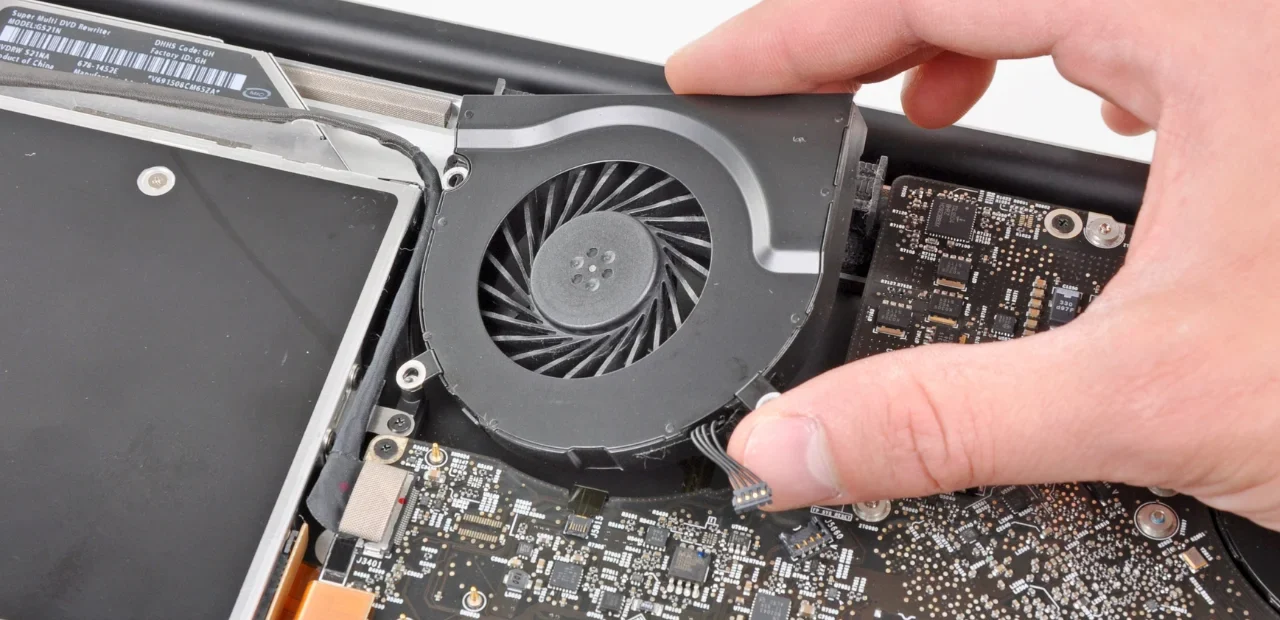
We first assess the ventilation system. Then, replace the defective part with a genuine, high-performance part.
After the replacement, we test your device for optimal performance before handing it back to you.
If your MacBook fan makes buzzing, grinding, or rattling sounds, it might be broken or filled with dust. We replace the new fan and make your MacBook quiet and cool again.
A broken fan can’t cool your MacBook, which causes overheating. We replace the fan and restore its performance to prevent your MacBook from becoming slow
The system mostly crashed due to logic board issues or system overloads. If you face frequent system or app crashes, contact our support team.
A faulty fan may speed up or slow down without reason. Our professional Mac repair experts has the expertise to resolve these inconsistencies.
Is your fan movement intermittent or not spinning at all? Our team of professionals can diagnose the issue and fix it efficiently. Visit our service center today!
Are high-speed fan issues not going away? Apple Shop Uganda can locate and resolve the cause for more peaceful functions. Call now to fix it!
Dust or debris blocks the fan movement and vents, which reduces the cooling efficiency. AppleForce PK performs a thorough cleaning to make sure no dust settles into your MacBook.
Usually, it can cause malfunctions or conflicts with third-party fan control software. Recommends using the system default controls for best results. Contact our team if need further software support.
If you face fan noises during sleep mode, address your issue, and we will troubleshoot and fix the fan-related problems.
If you’re experiencing any of the below issues, replace your MacBook fan to prevent further damage and have smooth performance. Overheating can also affect your MacBook keyboard and trackpad, causing unresponsiveness or erratic behavior. Fixing the fan helps protect all components.
| MacBook Model | Price (UGX) | Estimated Time |
|---|---|---|
| MacBook Air Fan | 200,000 – 300,000 | 1 – 2 Hours |
| MacBook Pro 13″ Fan | 300,000 – 400,000 | 1 – 2 Hours |
| MacBook Pro 15″ Fan | 400,000– 600,000 | 1 – 2 Hours |
| MacBook Pro 16″ Fan | 400,000– 700,000 | 1 – 2 Hours |
Note: Prices may vary based on the specific model and issue. Contact us for an accurate quote.
If your MacBook fan is noisy or not working, try these steps:
Restart your Mac to reset system functions.
Check for dust and clean the vents carefully.
Close unnecessary apps to reduce overheating.
Reset the SMC (System Management Controller) for fan control issues.
MacBook fan replacement is not too expensive, but the price lies on the model. As compared to the bigger problems like overheating and system failure, replacing the fan is a cost-effective solution that prevents costly repairs.
The cost of replacing a MacBook fan depends on the model and repair service provider.
The problem of overheating a MacBook can be due to:
Air vents blocked due to dust accumulation.
Too many apps running simultaneously.
A faulty or broken fan is not cooling the system.
High-performance tasks like gaming or video editing.
If your MacBook feels too hot often, get it checked to avoid serious damage.
Signs of a failing MacBook fan include:
Loud or unusual noises from the fan.
Overheating even with light use.
Frequent system crashes due to heat buildup.
The fan is not spinning or running too fast.
If you notice these problems, it’s time to get the fan checked.
At our Apple Service Center, we replaced MacBook fans within 1 to 2 hours. However, complex issues may take longer, and it totally depends on the issue.
WhatsApp us